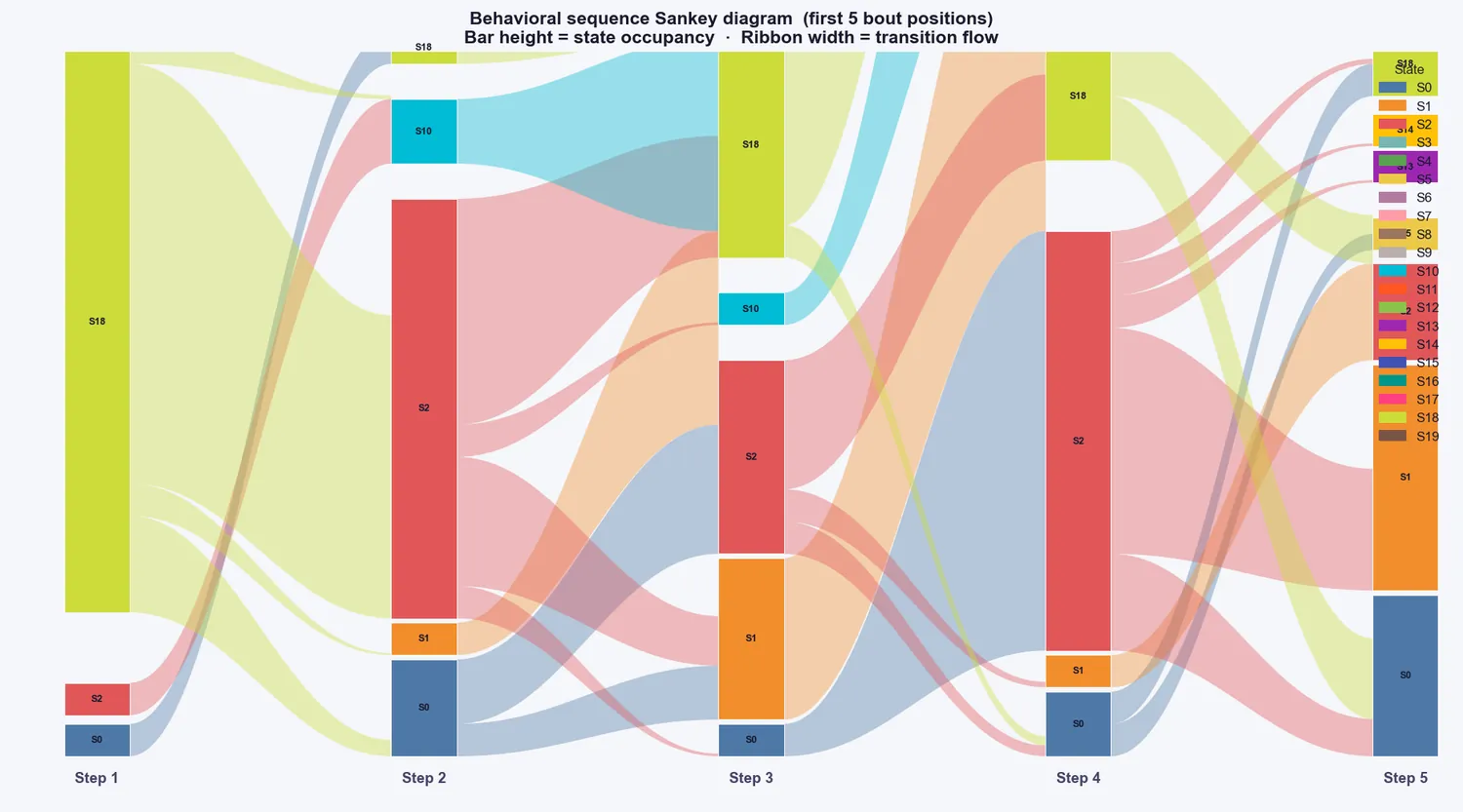
Launch: click Step 5 (the Behaviour Analysis card), or run cube_analyser.py. Section 6 describes every tab.
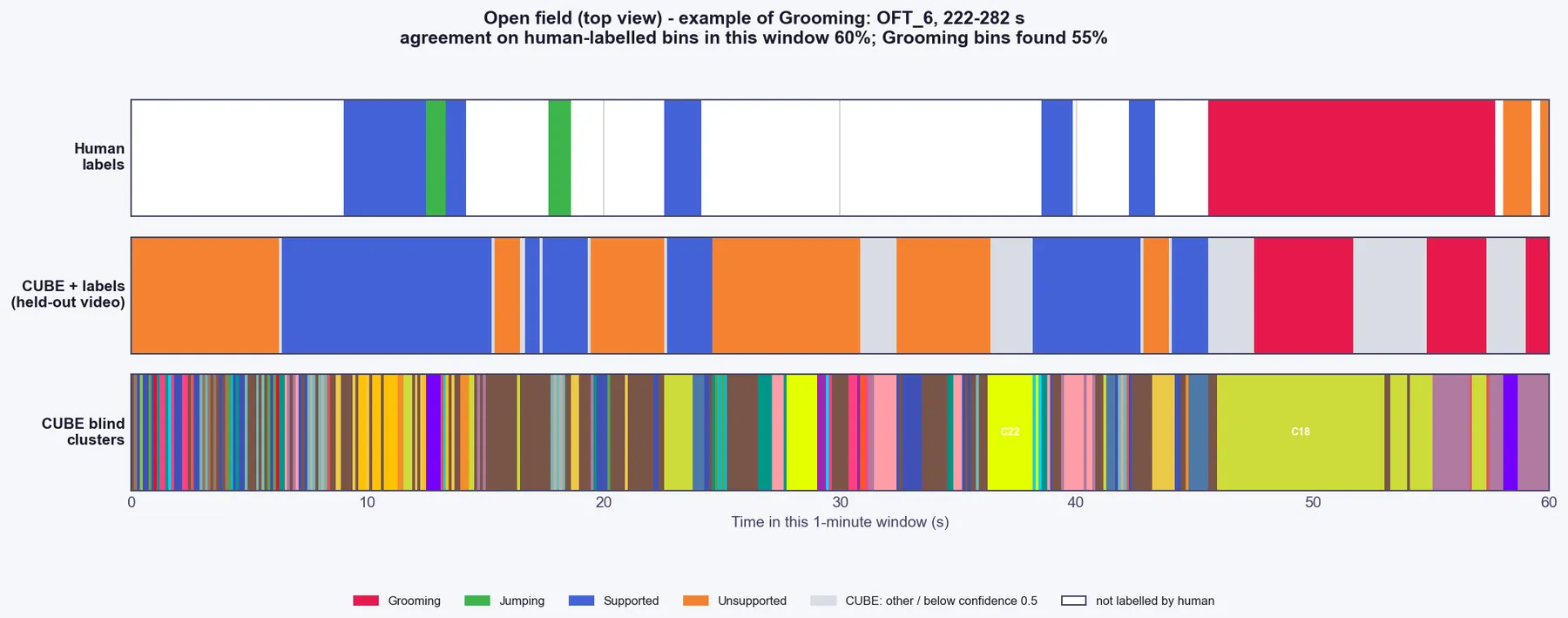
Reading the Turned Away cluster. When turned-away exclusion was on (the default), one extra cluster id represents time the animal was judged to be turned away from the camera. It is a tracking artefact, not a behaviour, so leave it out of behavioural interpretation, as you would an unnamed cluster. Two effects are worth knowing: a behaviour bout interrupted by a turned-away window is split into two shorter bouts (more bouts, shorter mean duration), and "% time" values are computed over the whole session including turned-away time. The transition-matrix plots do not show Turned Away as a state.